

Changing your plan
Esta página aún no está disponible en tu idioma.
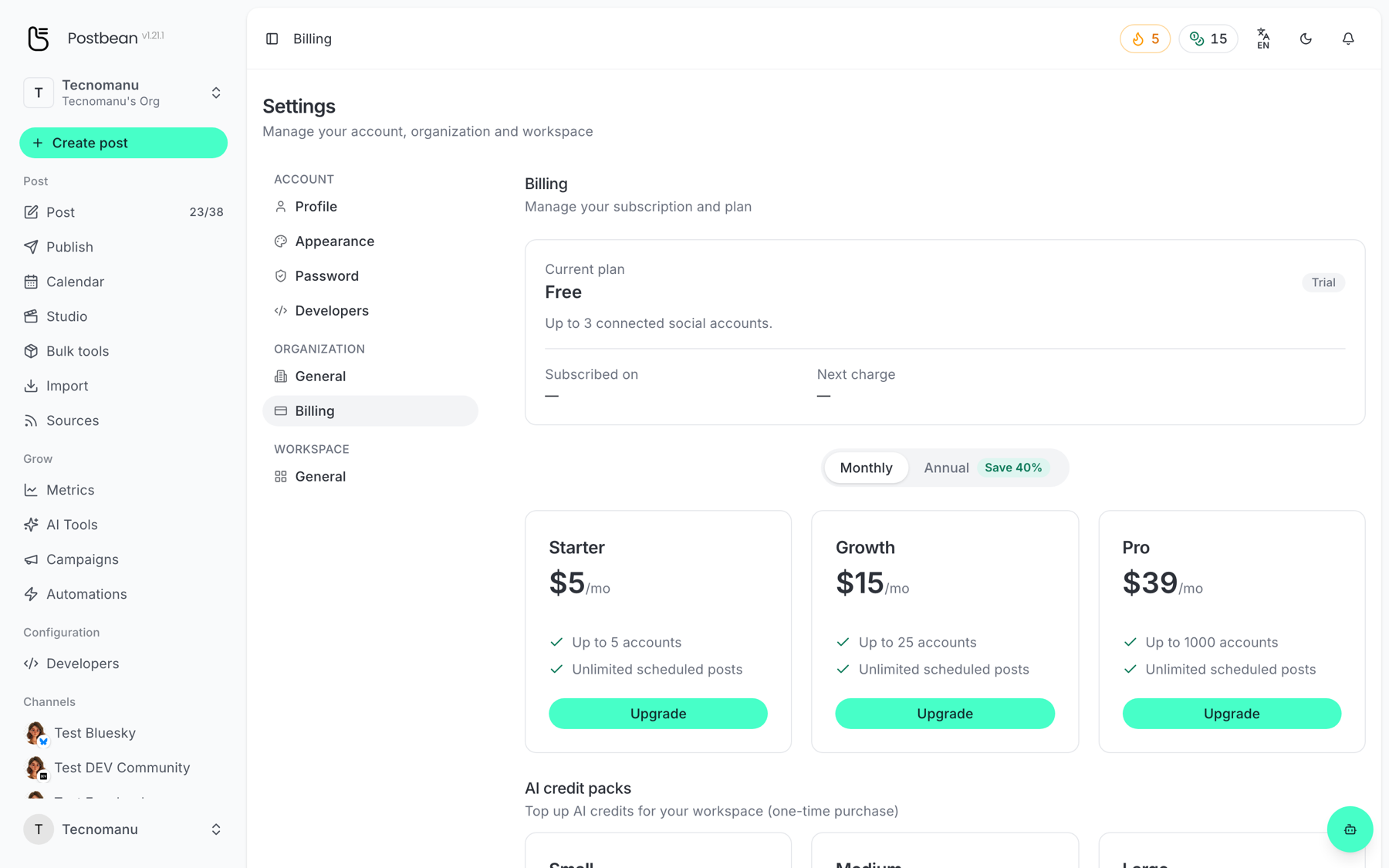
Plan changes are self-service, in Settings → Billing (/panel/settings/billing).
Upgrading
Section titled “Upgrading”- Open Settings → Billing.
- Choose Monthly or Annual — annual takes 40% off.
- Click Upgrade on the plan you want.
- Complete checkout at Lemon Squeezy.
The new plan is active as soon as the payment is confirmed, and the extra account slots are available immediately.
Switching between monthly and annual
Section titled “Switching between monthly and annual”Use Manage subscription on the billing page. That opens Lemon Squeezy’s customer portal, where the billing period, the payment method and the invoices all live. Lemon Squeezy prorates the change, so you are credited for the part of the period you already paid.
Downgrading
Section titled “Downgrading”Also Manage subscription. A downgrade takes effect at the end of the period you have already paid for — you keep the plan you paid for until then.
Before downgrading, check how many accounts you have connected. If you are above the new plan’s limit, disconnect the ones you do not need first; see Account limits.
If the plan does not change
Section titled “If the plan does not change”Give the webhook from Lemon Squeezy a minute and reload. If it still shows the old plan, see Paid but the plan did not change.