

How to give each network its own version
The same words rarely work on LinkedIn and on Bluesky. Postbean keeps one shared text plus a native version per network, so you write once and adjust only where it matters.
Where it lives
Section titled “Where it lives”In the composer, scroll to Native versions per network. There is a tab bar with Default first, then one tab per network you selected.
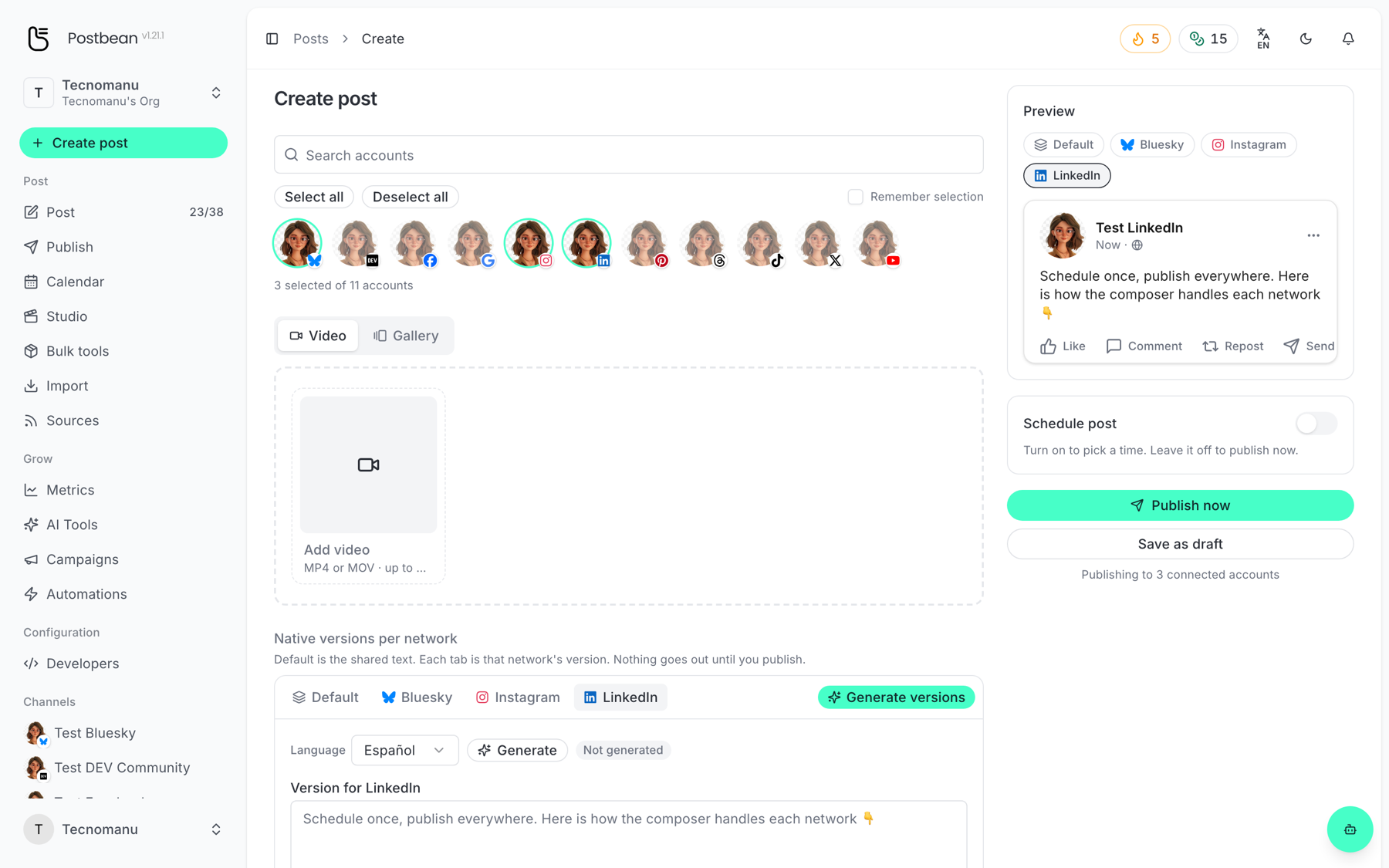
- Default is the shared text. Any network without its own version publishes this.
- Each network tab holds that network’s version. Leave it empty and the network falls back to Default.
Nothing goes out until you publish, so you can move between tabs freely.
Writing a version by hand
Section titled “Writing a version by hand”Open the network’s tab and type into Version for <network>. The character counter underneath shows that network’s real ceiling — 280 on X, 300 on Bluesky, 500 on Threads and Pinterest, 2,200 on Instagram and TikTok, 3,000 on LinkedIn, 5,000 on YouTube — plus a recommended length, which is usually well below the ceiling.
Letting the AI write them
Section titled “Letting the AI write them”Generate versions rewrites the Default text into every selected network at once, respecting each one’s length and tone. Generate inside a single tab does just that network.
- Pick the output Language per network — a Spanish LinkedIn post and an English X post from the same source is a two-click job.
- The tab shows a dot once a version is generated, and Edited once you touch it by hand.
- Restore generated puts back the generated text if you edit it and change your mind.
Generating spends AI credits from your workspace balance. The counter is in the top bar.
What else is per-network
Section titled “What else is per-network”The network tabs are not only captions. Depending on the network you will also find:
- First comment — posted as a reply right after the post, on the networks that allow it (Instagram, Threads, YouTube and Bluesky today; Facebook is waiting on a Meta permission).
- YouTube: video title, and Short vs regular video.
- Instagram: Feed, Story or Reel.
- Pinterest: the board to pin to.
- TikTok: audience, comments/Duet/Stitch, and commercial content disclosure.
- Subtitles: an SRT per network, so a video can carry Spanish subtitles on one network and English on another.
- Schedule: each network can go out at its own time instead of all at once.