

API and AI agents
Postbean exposes the same capabilities the app has, over two transports that share one API key and one set of permissions:
- a REST API for your own code,
- an MCP server for AI assistants — Claude, Cursor and anything else that speaks MCP.
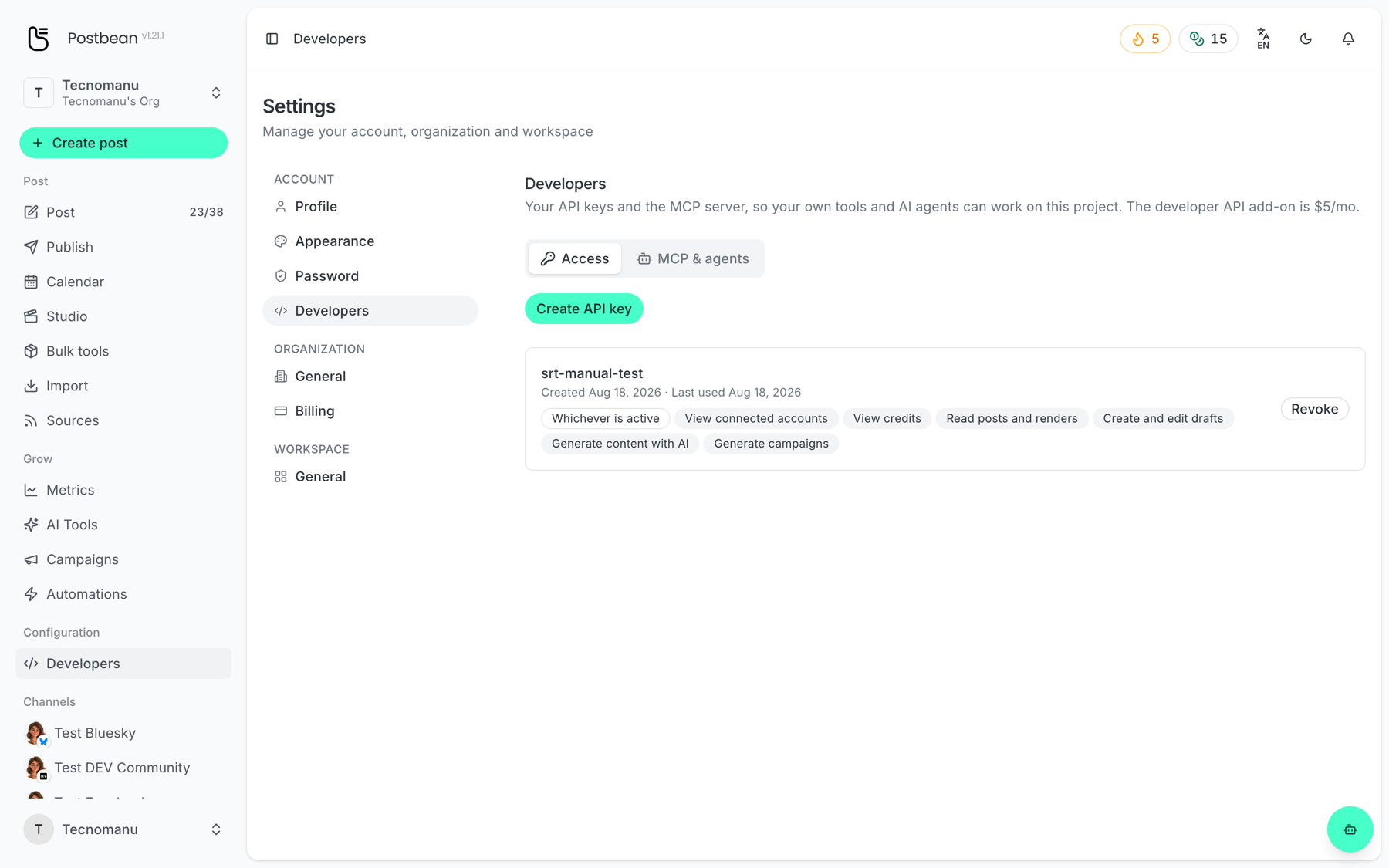
Both are the developer add-on, $5/mo on top of your plan. Turn it on and create a key in Settings → Developers (/panel/settings/developers).
Guides
Section titled “Guides”- Connect your AI agent with MCP — the fastest way in, and it covers creating a key.
- API overview, access and pricing — what the REST API covers and how to get a key.
Permissions are chosen once
Section titled “Permissions are chosen once”A key carries the permissions you pick when you create it, and they cannot be added afterwards. Give a key the narrowest set that does its job — one that writes drafts but cannot publish or delete is a genuinely useful safety net.
The same permissions apply on both transports: what an MCP tool is refused, the matching REST endpoint refuses too.
Machine-readable reference
Section titled “Machine-readable reference”Every deployment serves one at /mcp/skill.md. It is also the file you hand an AI assistant so it can set itself up.