
You have the photos for a launch, a short video, and a Story that should go out the next morning. Put them on the same calendar as separate posts so you can see the sequence before anything goes live. Postbean lets you write the caption, pick the Instagram account and placement, then publish now or set a time. If the same announcement is going to other networks, you can keep it in one draft and give Instagram its own wording.
Connect the account you publish from
- Open Connections in the workspace you’ll publish from and select Instagram.
- On Instagram, sign in with a Business or Creator account and approve access. A personal profile cannot publish through this connection. The direct Instagram sign-in does not require connecting a Facebook Page to Postbean.
- Back in Postbean, confirm the handle before choosing it in the composer. If your browser is signed in to another brand, switch accounts during authorization.
See it in the app
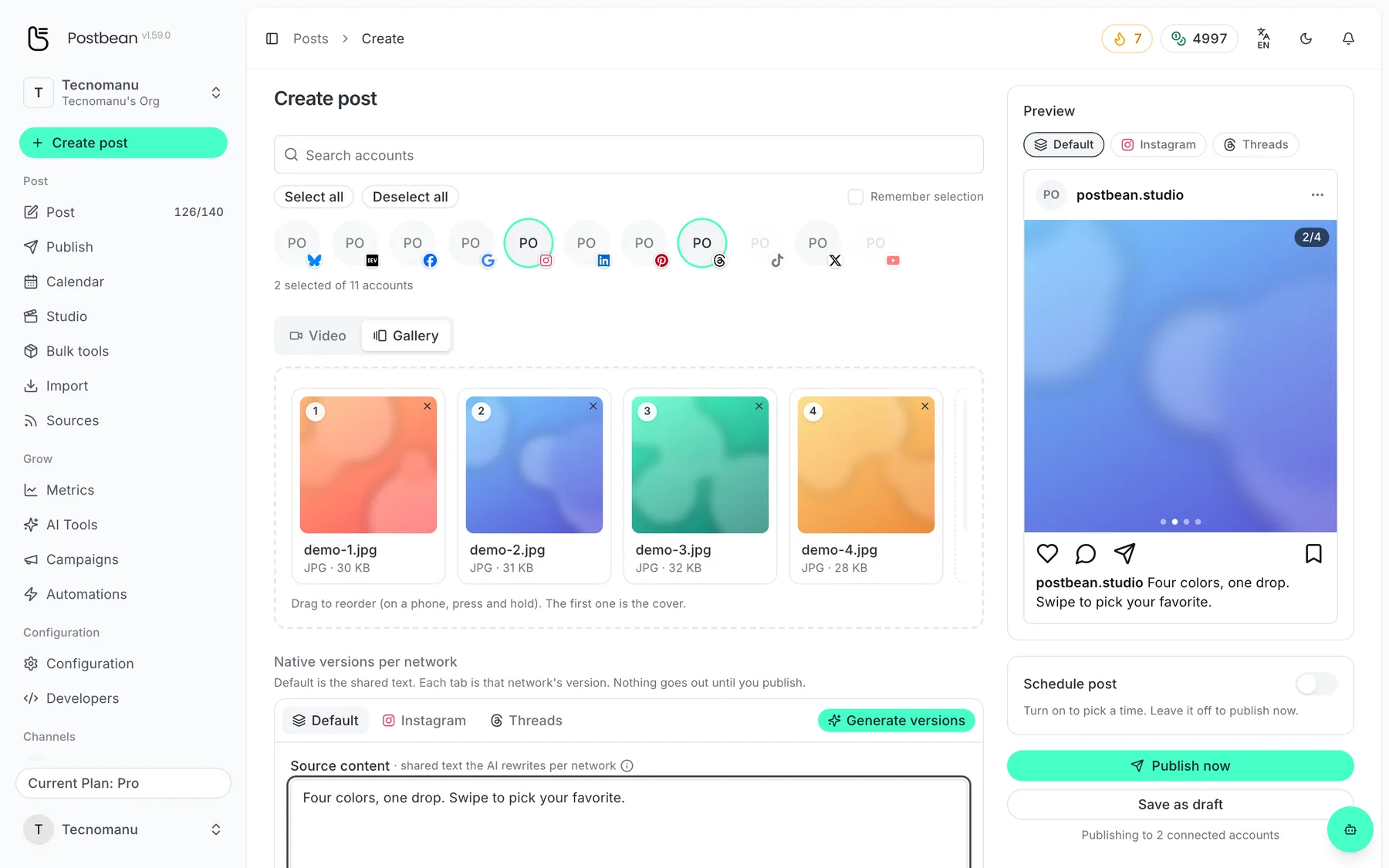
Drag to reorder: the first image is the cover.
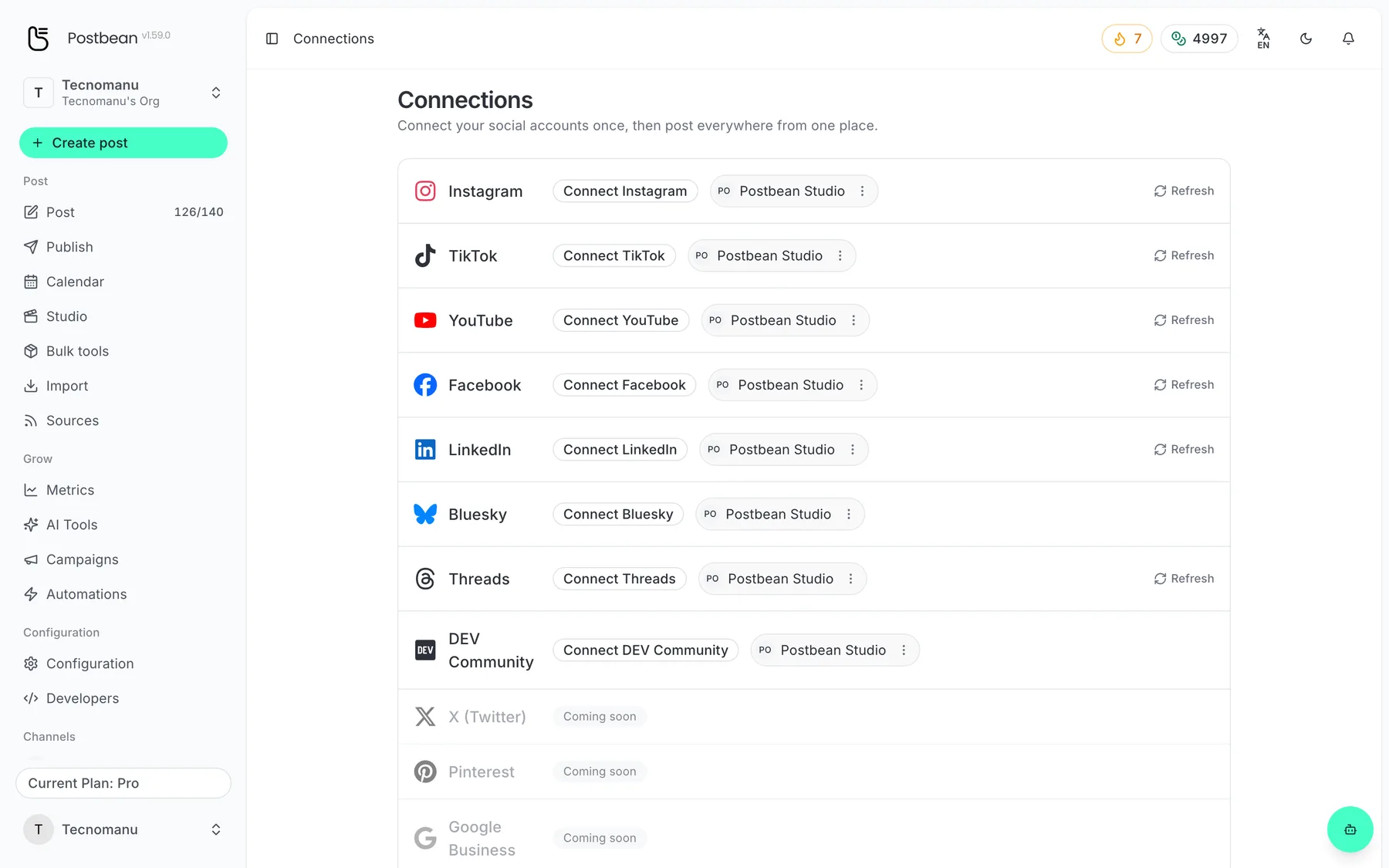
Connect each network once.
Every network in one list.
Choose a format before you add the finishing touches
For a single photo on the feed, attach the image and write the caption in the composer. If you’re showing several angles or walking someone through a process, use a carousel. Postbean sends the first 10 items to Instagram in the order you arranged them. You can mix photos and videos; put anything the reader needs for the story to make sense inside those first 10 slides. If the last four are worth sharing too, schedule them as a follow-up rather than letting the limit decide where the first post ends.
A single feed video goes out as a Reel. You can give the Reel a cover image instead of leaving Instagram to pick a frame. That’s useful when the clip opens on a transition, or the frame that explains the subject best only appears later. See carousels and covers for how those two options fit into the composer.
An Instagram Story uses one photo or video. Check that your account can publish Stories through the integration before scheduling a batch. Postbean doesn’t send a feed caption with a Story, so put a date, event location, or other text people need to see into the image or clip itself. If you want to share the same announcement as a feed post and a Story, prepare two drafts so you can review each in its own format and decide when each should appear.
Give Instagram its own caption and time
Start with the facts you want every version to carry. Then edit the Instagram caption separately if the shared copy reads like it was written for another network. Postbean checks Instagram’s 2,200-character caption limit before scheduling, so a long shared draft can stay intact while you shorten only its Instagram version. The Instagram caption length guide covers what to keep when you need to cut.
For a supported post, you can also prepare a first comment, for example to credit a collaborator. Postbean attempts to send it after the main post goes live. The comment has its own 2,200-character limit. It needs the comment permission, and a failed comment doesn’t take the post down.
Choose a date in the calendar and use per-network scheduling when the Instagram version should go out at a different time. Once a post is due, check its status before assuming every account received it. If Instagram rejects the media or asks you to reconnect, open the post and read the result on the Instagram row.
If you’re preparing a new format for an account you haven’t published to before, schedule one representative post first. A successful photo post doesn’t tell you how your first Reel will look. Check the cover and the caption on Instagram before you reuse that setup for the rest of a campaign.
Which Instagram metrics you can see
Postbean analytics is in beta. It can read likes and comments, and show reach when Instagram returns that insight. The numbers need not all update together. For a Story, check the native Instagram app if the metric you need doesn’t appear in Postbean.
Plan the rest of the announcement
Read how Facebook Pages handle photos and how Threads handles a text-led update. If you’re weighing tools for the same workflow, see our comparison of Postbean and Buffer. Ready to put your first post on the calendar? Create a Postbean account.
Frequently asked questions
Can I connect a personal Instagram account?
No. Connect an Instagram Business or Creator account through Instagram sign-in. You do not need to connect a Facebook Page first.
How many items can I include in an Instagram carousel?
Postbean sends up to 10 photos and videos, in the order you arranged them. If you attach more to a shared draft, Instagram gets the first 10.
Can I schedule an Instagram caption and first comment together?
Yes, for a supported post. Postbean sends the first comment after the post publishes, provided the connection has the required permission.