
In a carousel, the cover is part of the post: it’s the first slide. For a single video, you can set a separate image without adding a title card to the clip. Both are things you can prepare in the Postbean composer before you pick a date. Which option to use depends on what you attach and where you want it to go.
Put your carousel in order
- In Create post, open Gallery and upload the images. You don’t need to pick a separate carousel post type. More than one attachment creates a carousel. For still images, use JPG, PNG or WebP, up to 8 MiB per image.
- Drag the thumbnails into the order you want. On a phone, press and hold a thumbnail before moving it. Put the cover image first, even if it was the last file you uploaded.
- Pick the accounts, write the caption, and check Preview for the destinations you’ve selected. For Instagram, a gallery of several images goes to the feed, not Stories or Reels.
- Save a draft if you’re still deciding on the order. Once it’s set, schedule the post or publish it now.
Suppose you’re sharing a pottery class recap. Start with the finished pieces if that’s what will make sense on its own. Then put the process shots in the order the class actually followed. If you’re adding words to the images, keep them away from the edges and check the preview at a small size. Using the same aspect ratio on each slide helps you plan the composition without guessing which part of a differently shaped image might get cut off.
See it in the app
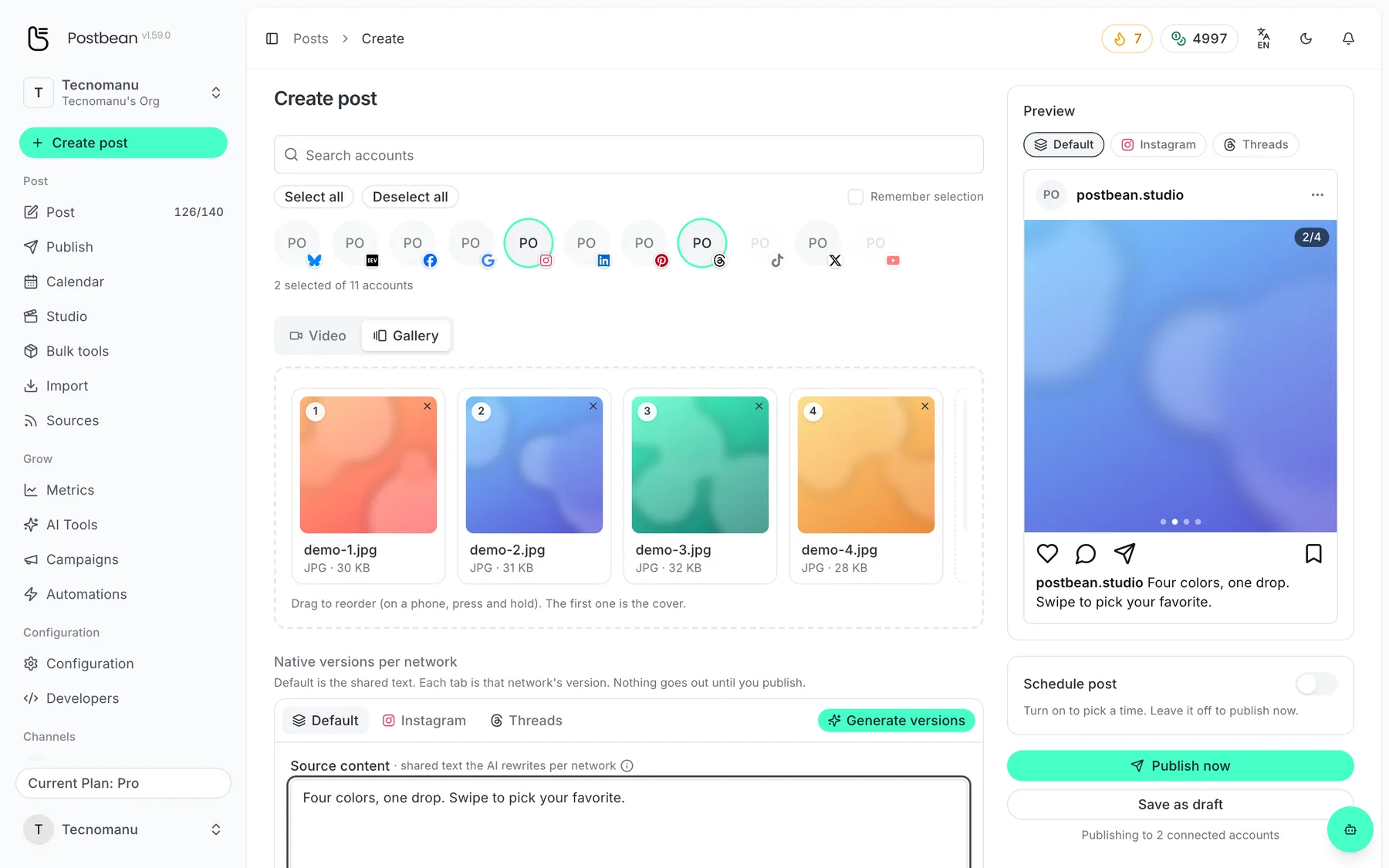
Drag to reorder: the first image is the cover.
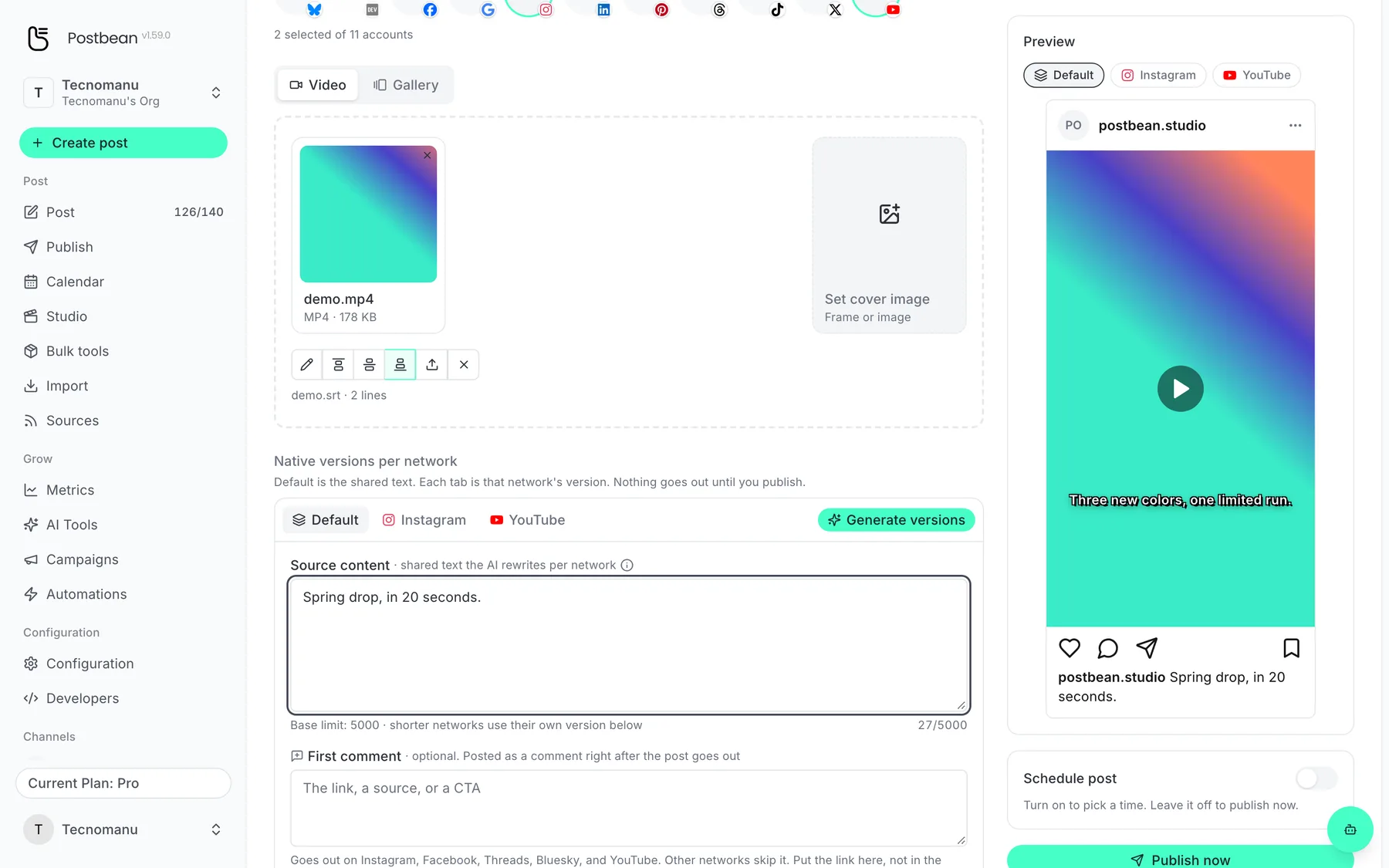
Upload an SRT and the subtitles are burned in.
Watch the limits on each destination
Postbean allows up to 35 attachments per post, but that’s not a carousel length you can count on elsewhere. It sends up to 10 carousel items to Instagram and up to 20 to Threads. Slides past those limits aren’t sent to that network. For a 12-image recap that also goes to Instagram, either pare it down or make sure the first 10 slides tell a complete story.
Not every destination turns a gallery into a swipeable post. A Facebook Page can publish a multi-photo feed post; DEV Community uses the lead image as an article cover. If you selected a destination that doesn’t support image posts in Postbean, such as YouTube, plan a video for it rather than assuming the gallery will be converted. The carousel guide has more detail by network.
Set a separate cover for a video
- Switch to Video and attach a single clip. Once it uploads, click Set cover image beside it.
- Play or scrub the video to a good frame and click Capture current frame. Or click Upload an image if you’ve already made a thumbnail. If the browser won’t capture a frame, use the upload option instead.
- Check the cover preview, click Save cover, then save, schedule or publish the post as usual. The cover is an image associated with the post, not a new frame inserted into the video.
Postbean sends the cover to Instagram for a Reel and to YouTube as a custom thumbnail. Don’t assume a different destination will use the same image; it may pick a frame of its own. Your YouTube channel needs to be verified for custom thumbnails. For Shorts, check the published video in YouTube Studio: YouTube’s instructions for changing a Shorts thumbnail there don’t guarantee it will accept one from Postbean. If YouTube doesn’t accept the cover, Postbean doesn’t mark the video as failed for that reason. Open the published video to check which thumbnail it actually shows. See the video cover guide for the YouTube setting to check.
Create a Postbean account to put a carousel in order or choose a video cover before your next post goes out.
Related reading
Frequently asked questions
Can I set a separate cover for a carousel?
No. Make the image you want as a cover the first slide. A separate cover in the composer is for a single video.
How many images can I put in an Instagram carousel?
Postbean sends up to 10 items in an Instagram carousel. Threads has a separate limit of 20.
What if I cannot capture a frame from the video?
Use Upload an image in the cover dialog. Postbean accepts JPG, PNG and WebP images up to 8 MiB.
Does my custom YouTube thumbnail need an eligible channel?
Yes. YouTube requires verification for custom thumbnails. If YouTube rejects the thumbnail, the video can still go live.