When a technical explanation needs a code sample and a few paragraphs of context, prepare a DEV Community article instead of squeezing the whole thing into a social caption. Postbean sends the DEV version as Markdown. You can schedule it for one time and send the shorter announcement to a different network later.
What Postbean publishes to dev.to
Write the title and the article body in the composer. The main text is the Markdown body, so use headings to break up a long walkthrough and fenced code blocks for examples readers should be able to copy. Provide a title in its own field. If you leave it blank, the publisher can fall back to the first line of the Markdown, which may not be the headline you want readers to see.
You can give the article a cover. That image is sent as the article’s cover, not as a carousel or a set of inline images. The DEV publisher includes up to four tags, normalizes them to lowercase letters and numbers, and removes duplicates. Pick the tags you actually want at the start of the list. For example, a piece about a slow database query has a clearer home under the database or language topic than under the names of every tool you mention.
Postbean does not set a channel-specific caption limit for the Markdown body. That does not make all input valid: DEV makes the final decision about accepting the article. There is no first-comment support for DEV, and you can’t schedule a native video upload or a photo carousel from Postbean. Put any correction or related resource readers need in the article itself instead of relying on a reply.
See it in the app
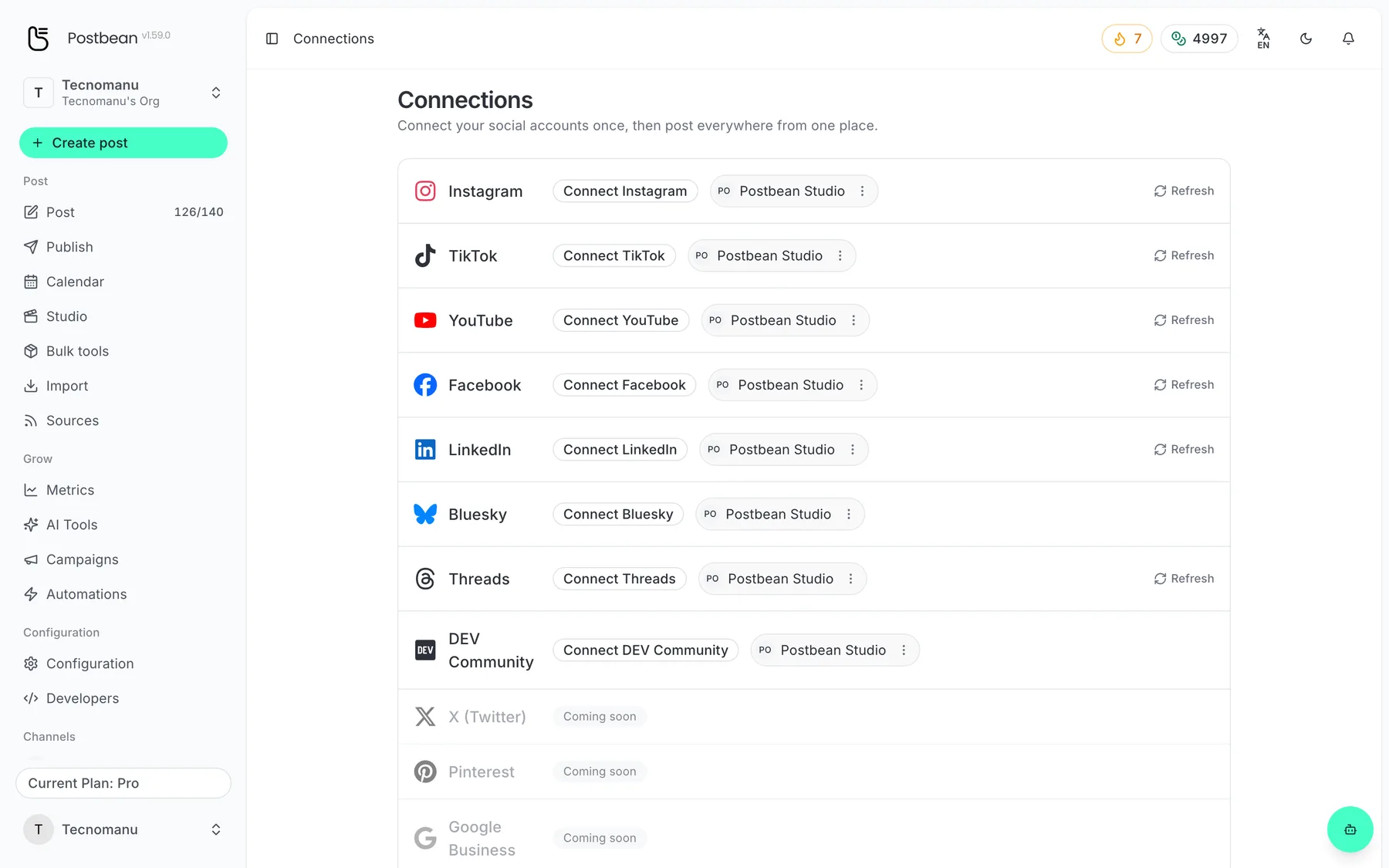
Connect each network once.
Every network in one list.
Connect your DEV Community account
- Sign in to the dev.to account you want to publish from. Open Settings → Extensions and generate a DEV API key.
- Switch to the intended workspace in Postbean. Open Connections and select DEV Community.
- Paste the DEV key into the connection form and submit. Postbean verifies it against the DEV account endpoint and stores the credential encrypted. This flow does not redirect you to an OAuth login.
- Check the connected DEV username in Postbean before creating your article, especially if you signed in to more than one DEV account while setting things up.
This is a key issued by DEV for its account, not a Postbean API key. If you revoke it in DEV, generate a replacement there and enter it in the connection form again before the next scheduled send.
Give the article and the announcement different jobs
Suppose your article explains why a migration took longer than expected. Give DEV the setup, the query you measured and the result. Use your Bluesky or LinkedIn version to name the symptom readers might recognize, rather than repeating a chunk of code in the feed. Set the time in the calendar or use per-network scheduling. If the announcement must contain the final article URL, publish the DEV version first and check the link before sending the announcement. A scheduled draft is not a live link.
Where to check results
Postbean analytics does not sync DEV article metrics. Check performance on DEV rather than interpreting missing numbers in Postbean as zero readers or reactions. After your first scheduled send, open the article on DEV and verify the account, cover, tags and code formatting.
Before sharing the article, test the example as a reader would: check that the command, its input and the expected output all appear in the published version. A good teaser can send people to the article, but it can’t fix a missing step in the article itself.
Create a Postbean account to save your first DEV draft. For more help planning articles and announcements together, read the content calendar guide or compare destinations in our comparison of Postbean and Postiz.
Frequently asked questions
Do I log in to DEV through Postbean?
No. Generate a DEV API key under Extensions in your dev.to account and enter it in the DEV Community connection form.
Is there a character limit for the article?
Postbean does not set a channel-specific caption limit for DEV. DEV can still reject an article that does not meet its own rules.
Can I post a video or a first comment?
Postbean sends a Markdown article and can supply a cover image. It does not upload a native video or publish a first comment on DEV.