A TikTok post starts with a video file in Postbean. Connect the profile you want to use, add the clip to the composer, and write the caption you want on TikTok. Keep it as a draft while the edit is still under review, or pick a time when the video is ready to go. If you’re using the same clip on other networks, you can give TikTok its own caption and date.
Connect TikTok before opening the composer
- Open Connections in the workspace you’ll publish from and choose TikTok.
- Sign in on TikTok with the profile you want to use and approve the permissions requested for the connection.
- Back in Postbean, check the username shown under Connections. If it’s the wrong profile, reconnect before scheduling a video.
See it in the app
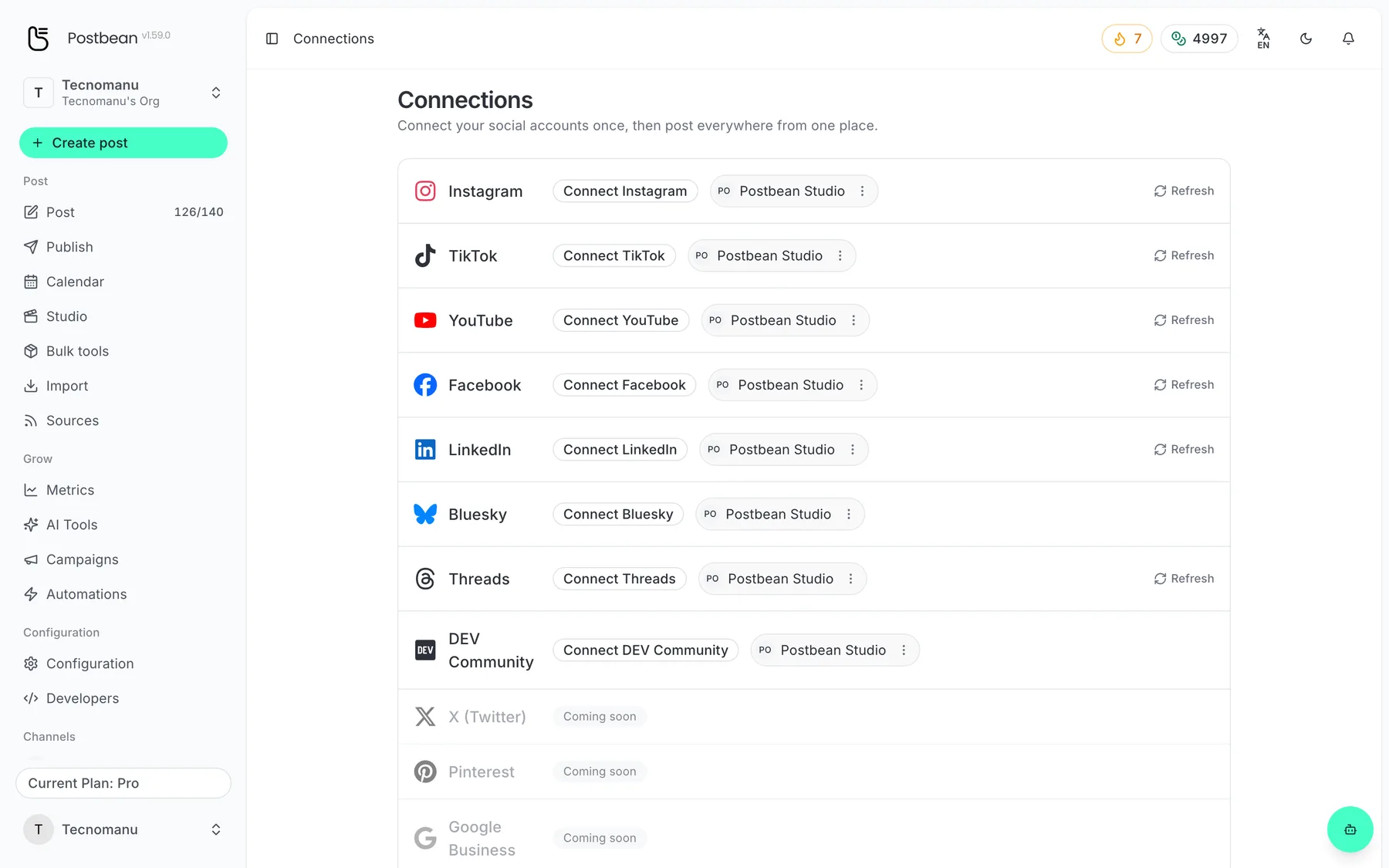
Connect each network once.
Every network in one list.
Know what will happen at the scheduled time
Postbean’s TikTok integration has two publishing modes. Direct Post submits the video and its settings for publication. This route depends on TikTok’s approval and the permissions available to the connected account. TikTok still has to process the video, so the scheduled time is when Postbean sends it, not a guarantee of when viewers can see it.
Inbox upload sends the video file to TikTok. You finish and publish it in the TikTok app. The caption, audience and disclosures you’ve prepared are not sent as publication settings in this mode; have them handy when you open TikTok. A successful transfer tells you the file was sent, not that your followers can already watch it. If your deadline is a public launch, leave time for that last step rather than scheduling the transfer at the exact moment you want the clip online.
Before sending, check the note next to the TikTok account on the post. It tells you whether Postbean will send the video to publish directly or upload it for you to finish in TikTok.
Check audience and interactions on Direct Post
For Direct Post, choose an audience in the TikTok tab before sending or scheduling the clip. TikTok supplies the audience choices for the account you connected. You can also set comments, Duet and Stitch where the account permits them. If TikTok disables one of those options for your profile, the composer can’t turn it back on.
Use the commercial disclosure settings to distinguish a promotion for your own brand from a paid partnership with someone else. If both apply, you can indicate both. A paid partnership can’t use the “Only you” audience. There’s also a separate setting for AI-generated or substantially AI-edited material. Review these choices with the person who approved the clip, particularly if an earlier draft was meant for private review.
Build the post around the clip you’re sending
Attach one finished video. Postbean doesn’t send TikTok photo posts, and it won’t add a sound from TikTok’s library to your upload. A photo sequence exported as a video can work when you’re happy with the audio and timing in your edit. If you need a native photo carousel or a sound from the library, finish the piece in TikTok. Postbean can set who may comment in Direct Post where TikTok allows it, but it does not schedule a first comment.
Give the caption a job of its own. If your clip already shows how to clean a camera lens, the caption could explain which cloth you used rather than repeat the steps. The TikTok version can be up to 2,200 characters. With Direct Post, TikTok reports the maximum video length for the connected account; don’t assume a cut that worked for one profile will fit another. See how the Postbean composer handles separate versions before you schedule a clip for multiple destinations.
Where TikTok results live
Postbean analytics does not sync TikTok’s performance metrics. Once the video is live, check its views and engagement in TikTok. A successful transfer to the TikTok inbox is not a public video and has no public performance to measure.
Keep a working plan for the week
Say you have two cuts of a product demo: a quick TikTok clip and a longer walkthrough for YouTube. Put both on the calendar as separate posts if the files differ. If the file is the same, use per-network scheduling to give TikTok and YouTube different times on one post. A Postbean draft is a place to keep work in progress; it doesn’t send a copy to TikTok.
When a post matters to a deadline, check its status and verify that it’s visible to the intended audience in TikTok. Our guide to why scheduled posts fail can help you plan for that check. If you’re choosing between tools, our comparison of Postbean and Later is a starting point. Test your chosen workflow with a low-stakes clip before relying on it for a launch.
Create a Postbean account to plan your first TikTok video alongside the rest of your posts.
Frequently asked questions
Does scheduling mean my TikTok video goes live automatically?
It depends on the integration mode and TikTok permissions. Direct Post sends the video for publication. Inbox upload sends the file to TikTok so you can finish the post in the app.
Can I schedule TikTok photo posts or slideshows?
Postbean sends video to TikTok, not native photo posts. You can export your slideshow as a video or publish the native photo post in TikTok.
How long can my TikTok caption be?
Postbean checks the TikTok caption against a 2,200-character limit before scheduling or publishing.