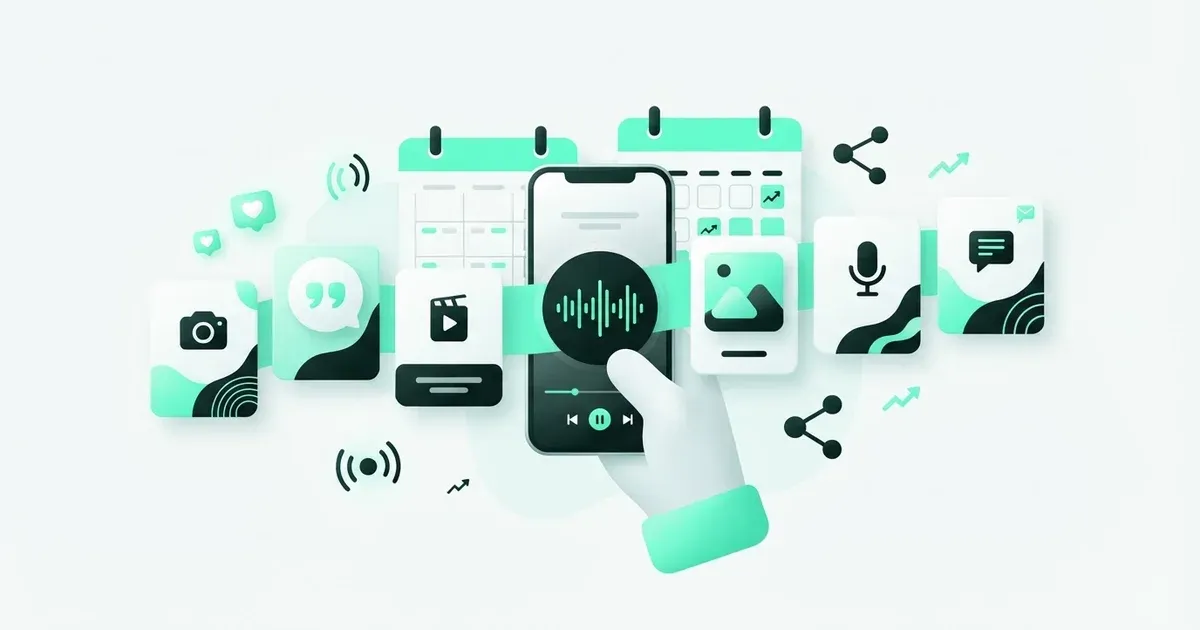
An episode gives you several possible social posts, but not every striking sentence makes a good clip. The listener needs enough context to understand the claim and enough information to find the full discussion. Build promotion around the episode’s useful ideas rather than cutting random moments until you fill a calendar.
Start with one release week: an introduction, a self-contained excerpt, and a follow-up question or explanation. That is a proposed workload, not a promise that three posts will grow the show. Keep time for editing, caption checks, guest coordination, and replies outside the recording session itself.
Choose a reason to listen
Write a one-sentence description of what this episode helps someone understand. “An independent shop owner explains how they changed their stock-ordering process” gives a clearer direction than “an inspiring conversation about business.”
Then identify who would care and what they already know. A technical interview may need a brief definition before the excerpt; an episode for existing listeners may need less background. The promotional post should not assume everyone recognizes the guest.
Choose the next step for the release. It might be opening an episode page, watching a full video, or reading accompanying resources. Do not send people to a generic show homepage if they must search again for the conversation you just described.
Mark excerpts while reviewing the recording
During your normal edit, note timestamps for a clear answer, an example, a disagreement with enough context, and a practical takeaway. Record the surrounding question and any qualification that must remain attached.
A short clip should still be accurate after it leaves the episode. Avoid cutting “in this particular situation” from a statement that depends on it. If the needed context makes the clip longer than you can present clearly, choose another moment.
Keep a small excerpt sheet with timestamp, topic, speaker, permission status, and proposed destination. That makes it easier to find approved material later without repeatedly watching the whole recording.
Handle guest material as a separate check
Confirm the agreed promotional use of the recording, name, image, and quotations. If a guest needs to review a particular excerpt, complete that review before scheduling. Do not treat participation in a conversation as an answer to every possible reuse question.
Verify name spelling, role, transcription in captions, and relevant links. A guest’s job title may have changed between recording and release. Use the description you have actually confirmed.
Check rights for music, photographs, and other material included in the clip. An asset cleared for one use should not be assumed cleared for every platform or advertising placement. If the permitted scope is unclear, use material you can confidently publish.
Make a clip understandable on its own
Give the viewer a brief setup and include the full answer needed for the idea. Keep the framing focused on the speaker or useful visual, and make on-screen text readable on a phone.
Proofread captions against the recording, especially names, numbers, technical terms, and negations. A missing “not” can reverse the point. If you use a transcript as a starting point, it still needs human checking before publication.
YouTube’s caption guidance describes adding subtitles and captions to videos. Review the available native options for the full episode separately from any text embedded into a promotional clip. Burned-in text should not be treated as a complete accessibility strategy.
Write the post around the idea
Use the question, the specific example, and the destination. An invented caption could say: “What changed when a shop stopped ordering stock from memory? In this excerpt, our guest describes the weekly list they introduced and one problem it did not solve. The full conversation and resource notes are on the episode page.”
That text gives someone a reason to watch without claiming the clip contains a universal business solution. It also avoids pretending a guest’s individual experience is a research finding.
For a quote card, verify the wording and retain the relevant qualification. If you paraphrase, present it as a summary rather than placing invented wording inside quotation marks. A short explanation may serve the idea better than a dramatic pull quote.
A release week with distinct pieces
| Piece | Purpose | Material |
|---|---|---|
| Episode introduction | Explain who the conversation helps | Guest and topic description |
| Excerpt | Demonstrate a useful idea | Checked clip with context |
| Follow-up | Continue the discussion | One question or resource |
Pick days that fit your actual release process. Make sure the episode destination is live before a scheduled announcement points to it. A prepared post cannot compensate for a missing audio file or an unpublished episode page.
For an irregular show, keep the sequence tied to the real release date rather than pretending there is a weekly episode. Reduce output when editing or review needs more time.
Adapt the package by destination
A short text post can summarize the lesson and link to the episode. A video post can demonstrate it. A longer explanation can expand the takeaway while preserving the guest’s actual scope.
Postbean currently connects Instagram, Facebook, TikTok, YouTube, personal LinkedIn profiles, Threads, Bluesky, and DEV. X, Pinterest, and Google Business are coming soon. TikTok and YouTube need video in this workflow; a static quote card is not a substitute for a video upload there. DEV takes a Markdown article rather than a native video upload.
Use the repurposing guide for planning adaptations and the subtitles guide when preparing short video material. Check each destination’s preview rather than assuming one crop works everywhere.
Schedule only the finished promotional material
In Postbean’s composer, prepare captions and network-specific versions, then inspect dates in the calendar. Treat the podcast hosting platform and full episode publishing process separately.
Check episode link, guest details, selected account, release date, caption accuracy, and permission status before confirming the schedule. If the episode moves, review every pending announcement rather than changing only the first post.
Assign someone to replies. A guest tag or a scheduled question can create a conversation after the team has moved on to the next recording. Reserve a realistic window to participate.
Measure listening separately from viewing
Keep social views, episode-page visits, plays reported by your host, and subscriptions separate. Different systems may define these measures differently. Do not add them together and call the result unique listeners.
Use campaign links where your destination analytics support them. Ask listeners what brought them to the episode when appropriate, while recognizing that a person may see several posts before listening.
An illustrative comparison: one clip gets many views but few episode-page visits, while a resource post brings fewer visitors who ask detailed questions. Those observations suggest different reader intent. They do not establish which piece caused subscriptions or a universal best format.
Check the listening handoff
Open the episode link from the same kind of phone your audience may use. Confirm that the title identifies the conversation, that the player is available, and that the resource links work. If you offer several listening destinations, label them clearly. Do not make the person guess whether a button opens a trailer, a full episode, or a subscription page. Keep this check in the release checklist alongside audio delivery. A correct social caption still loses practical value when the next screen makes the promised conversation difficult to find.
Reuse the archive with a fresh reason
An older episode can support a new post when its idea remains accurate and relevant. Check guest details, resource links, and claims before reuse. Make the original recording context clear when it matters.
Keep a record of which excerpts you have already used so you can offer a different explanation instead of repeating the same sentence indefinitely. Prepare the release sequence in Postbean once the episode page, excerpt, and guest details are ready.
Sources
- YouTube: adding subtitles and captions — checked November 22, 2026