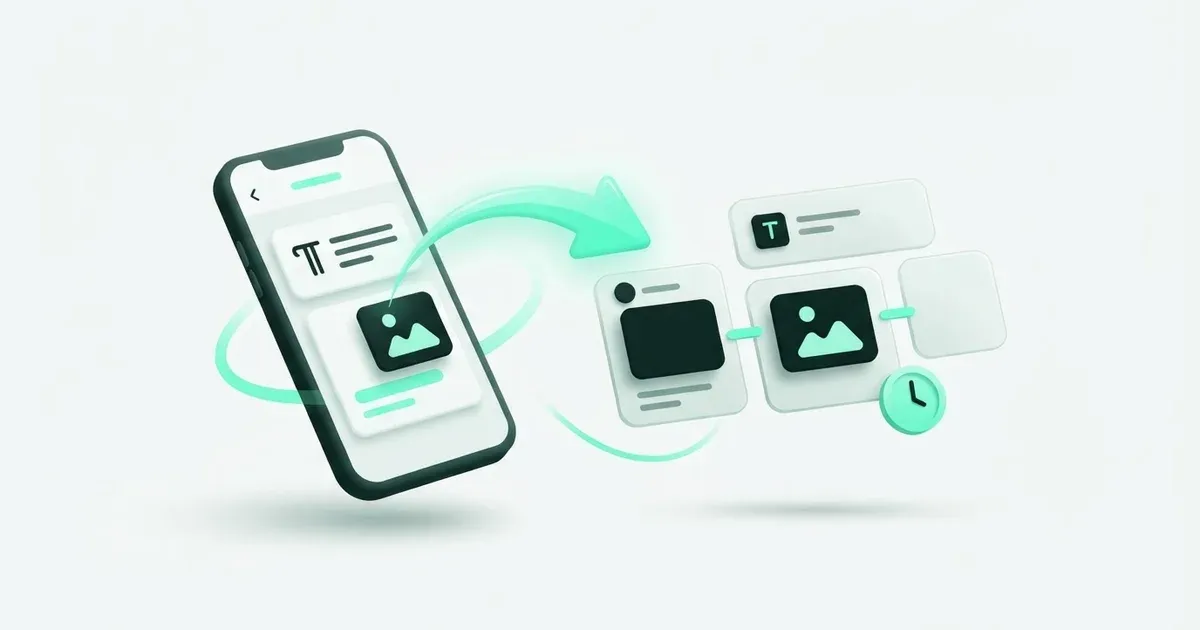
For a future Bluesky post, prepare a short version that can stand on its own. You have less room than on LinkedIn or Instagram, and Postbean’s Bluesky publisher handles one image or one video rather than a gallery. Set those expectations before adapting a shared announcement.
Bluesky’s own scheduling guidance points to an external scheduling integration. The native alternative covered here is manual publication from the Bluesky composer; this guide does not rely on an unverified built-in calendar. Postbean supplies the schedule for the workflow below.
Native publication versus a scheduled send
For a native post, open Bluesky, compose the text, attach the media you need and publish when you are ready. If you need a particular future time and your composer offers no scheduling control, keep the text in your working document and set a reminder to publish manually.
That manual route is useful when you need an app-specific option absent from your scheduler. It also leaves a person responsible for the final send. Record who will do it and remove any duplicate scheduled version elsewhere. An editor draft or a reminder is not an automatic publishing job.
For several destinations, the practical difference is where you review the work. In the native app you inspect Bluesky alone. In Postbean you can keep a longer Instagram explanation and a short Bluesky version together, then choose a separate time for each.
Connect Bluesky using an App Password
- Sign in to the Bluesky account that will publish and copy its full handle, including the domain.
- Open App Passwords in Bluesky and create a separate credential for Postbean.
- In the intended Postbean workspace, open Connections and choose Bluesky.
- Enter the handle and App Password, submit the form and verify the connected username.
Use the full handle rather than the display name. A custom-domain handle is still a handle; do not replace it with an old name from memory. The connection uses a credential form, not an OAuth approval redirect, so there is no second authorization screen to wait for.
Keep this credential out of captions, screenshots and shared editorial notes. If you revoke it in Bluesky, reconnect with a new App Password before the next scheduled send. A Postbean API key and a Bluesky App Password are different credentials with different purposes.
Write the Bluesky version
1. Start with the conclusion
Open Create post and select Bluesky. State the change or useful observation first, then add the context needed to understand it. If you are announcing a guide, explain what problem the guide solves before asking someone to open a link.
Postbean applies a 300-character caption limit measured in UTF-16 units. This is the validation rule for this workflow, not a claim that every editor counts every symbol identically. Trust Postbean’s counter when preparing a scheduled version, particularly if the text contains symbols outside ordinary letters.
2. Use an override for a shared draft
Open Native versions per network and edit Bluesky without cutting the main caption for everyone. A 900-character Instagram explanation needs a rewrite, not a mechanical cut after the first 300 characters. Keep the conclusion and one specific detail; move the full explanation to a suitable page if needed.
For example, an invented software update might say that exported reports now keep the selected date range. A screenshot can show where the range appears. Readers do not need the entire development diary to understand the change, but they do need to know what changed.
3. Check links after shortening
Count the link as part of the effective caption. Remove unnecessary setup before deleting the only instruction that explains the destination. Open the final URL and verify it reaches a public page rather than a private preview requiring your login.
If the link points to a scheduled DEV article, wait for that article to publish and copy the actual URL before scheduling the announcement. A planned slug can change, and an unpublished article is not a working resource for readers.
Choose one attachment
Postbean’s Bluesky publisher selects a video when one is attached. Otherwise it selects the first image. It does not send the remaining images as a carousel, and it does not combine photos with a video in one published post.
That means a shared Instagram carousel needs an explicit Bluesky adaptation. Pick the screenshot that communicates the point by itself. If the third image contains the key comparison, move that image first or prepare a separate Bluesky draft with only that asset.
Postbean accepts images up to 8 MiB and videos up to 100 MiB. Supported image uploads are JPEG, PNG and WebP; supported video uploads are MP4 and QuickTime. These are application upload limits, and Bluesky can still apply its own processing or account restrictions.
If text publishes but video fails, check whether the Bluesky account’s email is verified before assuming all credentials are wrong. A successful text post does not exercise the video-upload path. Read the account result to distinguish a video error from a general authentication failure.
Add an optional first reply
Postbean can attempt a first comment as a reply from the connected Bluesky account. The reply has a separate 300-character limit. Keep it supplemental: a reference, a clarification or an extra example that helps without carrying the entire announcement.
Do not describe this as automatically publishing an unlimited thread. The supported workflow here is a main post and its optional first reply. If you need a longer conversation, plan it explicitly and inspect the native app’s available controls.
A failed reply does not necessarily mean the main post failed. After the send, verify the original before taking recovery action. Recreating the entire draft because a reply is absent can duplicate the announcement while leaving the underlying reply problem unresolved.
Pick the schedule and review it
Save the draft and choose a date using the workspace timezone. In a shared post, per-network scheduling lets Bluesky go out at a different time. Reopen the saved post and confirm the account and date.
Use the calendar to look for nearby messages that repeat the same announcement. Two related posts can be useful if they explain different details; two copies queued through separate tools are usually an operational mistake.
If subtitles are being rendered for a video, save early and inspect readiness. The schedule does not remove the need for a processed file. Check the status before you depend on that slot for a launch or an event.
Troubleshoot from the result
When scheduling fails, inspect the effective Bluesky caption and any first reply. A long default can still apply if the network override is empty. Correct the version that exceeds its limit rather than shortening every destination.
When media is missing, check the publisher’s selection rule before uploading again. One published screenshot from a multi-image draft is expected in this integration. If the wrong screenshot appeared, fix asset choice and order for the next post.
After publication, open Bluesky and inspect the handle, wording, attachment and first reply. Postbean analytics is in beta and reads Bluesky likes, replies and shares, but does not sync reach or impressions. Missing reach is not zero audience. Use the Bluesky channel guide for those boundaries when reviewing the next scheduled batch.
Example: one screenshot from a longer guide
Imagine your guide contains six screens, but only one shows the result readers care about. Use that image for Bluesky and write a sentence explaining what changed. Check that the screenshot remains understandable at a small size. If it needs five preceding slides, choose another asset or make the post a clear invitation to the full guide. This is an editorial choice, not a way to expand the integration’s single-image behavior.
Sources
- Bluesky: scheduling through an external tool — checked November 22, 2026
- Bluesky app passwords — checked November 22, 2026